TheAppHunter is an independent mobile app comparison platform. We may earn a commission when you click through.
Photo Recovery Apps That Actually Find Deleted Files
I compared Android and iPhone recovery tools across scans, file support, previews, and restore options to find the apps worth trying first.
The Shortlist
Best overall Android pick: Photo Recovery: Video & File.
Best for a proven recovery workflow: DiskDigger photo/file recovery.
Best iPhone-rated pick: Photo Recovery • Hidex.
Deleted photos are not automatically recoverable. Android tools can sometimes find thumbnails, cached previews, Trash contents, or files left on an SD card, while iPhone apps often work more like photo-library utilities than true low-level recovery tools. That distinction matters more than the word “deep scan” in an app description.
Android Apps With the Most Useful Recovery Paths
Android is the stronger platform for this category because several apps can inspect storage, cached previews, or external memory. The best descriptions also explain what the scan can realistically find instead of promising that every deleted file will return.
Photo Recovery
The broadest first try in this group, Photo Recovery: Video & File scans for deleted photos and videos while also covering common audio and document formats. That wider file support gives it more practical value than a photo-only utility, especially after an accidental cleanup that removed several file types at once. The app’s description promises a smart deep scan, but there is no published success rate or pricing data here, so treat the scan as a recovery attempt rather than a guarantee. Best for Android users who need one straightforward tool for photos, videos, audio, and documents.

Photo Restore
File Recovery: Photo Restore explains the recovery process more clearly than the first pick. Its description names four likely sources: Android Trash on newer devices, thumbnail and preview caches, storage locations, and other leftover copies. That transparency is useful because it sets a more realistic expectation than vague claims about restoring everything. It also includes photos, videos, audio, documents, and contacts. Best for Android users who want to understand where a recoverable copy may still exist before starting a scan.

All Recovery
All Recovery - Photos, Videos earns its place through practical workflow details: it supports phone storage and SD cards, previews found files, restores multiple items at once, and lets users sort results. That preview step is important because recovery scans can surface duplicates, thumbnails, or files with unhelpful names. Compared with File Recovery: Photo Restore, it says less about where files come from but gives more detail about managing the results. Best for Android users recovering a batch of files from internal storage or an SD card.

DiskDigger
DiskDigger is the veteran-style pick here, with support for photos, images, videos, documents, internal memory, and external memory cards. It can also send recovered files directly to Google Drive or Dropbox, which is a useful safeguard after restoration. The limitation is that the listing does not state the exact scan depth, pricing, or success rate, and recovery results depend heavily on whether deleted storage has already been overwritten. Best for Android users who want broad file coverage plus direct cloud export.

Dr.Fone
Dr.Fone takes a different route: photo recovery is one part of a much larger phone toolkit that also includes data transfer, chat transfer, system repair, device unlock, privacy space, virtual location, and AI photo enhancement. That breadth may help someone managing a wider phone problem, but it also makes the app harder to justify for one deleted image. The listing mentions in-app tools but provides no recovery price or success figures. Best for Android users who need recovery alongside device migration or repair features, not just a quick photo scan.

These Android tools are not interchangeable. DiskDigger and All Recovery make external-card recovery explicit, File Recovery: Photo Restore explains likely storage remnants, and Dr.Fone is really a broader device utility. My first attempt would be Photo Recovery: Video & File, followed by DiskDigger if the missing files were stored on an SD card or need cloud export.
One fact many recovery listings leave out: a scan cannot recreate data that has already been overwritten. Stop taking photos, installing apps, or saving downloads on the affected device before trying recovery. That simple step can matter more than switching between five similar scanners.
iPhone Listings Need a More Careful Read
iPhone recovery apps deserve stricter scrutiny. Apple’s storage controls mean an App Store utility cannot simply inspect every deleted block of internal storage, so checking Recently Deleted, iCloud Photos, and device backups should come before paying for an app. The listings below can still be useful, but their store pages provide less technical detail than the strongest Android entries.
Hidex Photo Recovery
Photo Recovery • Hidex is the clearest iPhone pick in the data provided, with a 4.5 rating from 13 ratings and a free download with in-app purchases. The small review count matters: 4.5 is encouraging, but it is not the same evidence as a rating built from thousands of users. The listing also identifies it as iPhone-only and mentions “diskdigger photo recovery,” which makes the positioning feel somewhat unclear. Best for iPhone users who want to try a highly rated utility first, provided they check Apple’s built-in recovery locations before paying.

Restore Files
Photo Recovery - Restore Files is listed as free with in-app purchases and designed for iPad, not as a universal iPhone-and-Android tool. That platform detail is easy to miss and makes it a poor recommendation for someone holding an iPhone. The available listing data does not show ratings, scan methods, supported formats, or pricing, so there is little evidence to justify upgrading. Best for iPad owners who want to test a basic recovery utility without assuming it can perform deep device-level restoration.

Hidex has the stronger public signal, but the evidence is still thin: 13 ratings and no published recovery rate. The iPad listing is even less transparent. Before using either, check the Photos app’s Recently Deleted folder, iCloud Photos, shared albums, and any backup service already connected to the device. Those routes are usually more credible than an App Store app claiming to recover erased internal data.
Two iPhone Listings I Would Skip for Now
Not every search result deserves a card. File Recovery - Photo Recovery currently leads to an App Store page that cannot be found, while Photo Recovery: Restore Files provides too little visible information to assess its recovery method or value. A missing page is not a minor flaw in a recovery category; it removes the basic evidence needed to trust the download.
File Recovery
The linked App Store page currently returns “The page you’re looking for can’t be found.” That makes this an easy skip, regardless of the promising title. There is no available evidence for platform behavior, pricing, permissions, ratings, or recovery results, and a broken listing means readers cannot verify the developer or download the app from the supplied source. Best for nobody until the official store page is restored and its details can be checked.
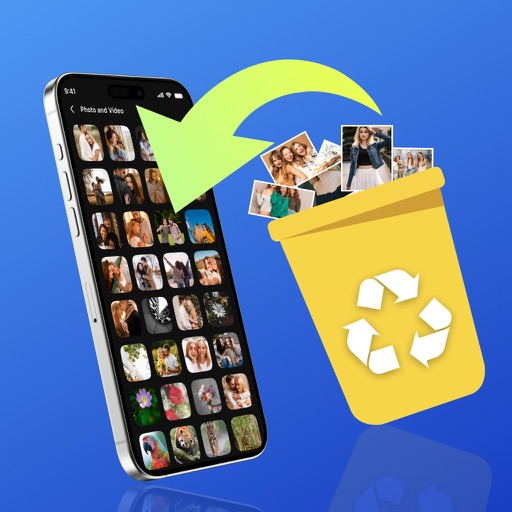
Photo Recovery
Photo Recovery: Restore Files is marked iPhone-only, free with in-app purchases, and categorized under Productivity. Those details establish availability but not effectiveness: the listing data does not show a rating, scan explanation, supported formats, or restore workflow. Compared with Hidex, it has no visible user-rating signal to support a recommendation. Best for cautious iPhone users willing to inspect the app’s permissions and subscription screen before trying it, not for anyone expecting documented deep recovery.

The iPhone group exposes the biggest weakness in this category: store titles often sound more powerful than the technical information behind them. I would try Apple’s own recovery and backup options first, then test Hidex only if the missing photos are not available elsewhere. The unverified listings are not worth paying for without clear scan details and cancellation terms.

Who Should Pick What
Choose Photo Recovery: Video & File if you use Android and want the broadest first scan across photos, videos, audio, and documents. Choose File Recovery: Photo Restore if you want a clearer explanation of Trash folders, caches, and leftover copies. Choose All Recovery if SD-card support, previews, sorting, and batch restoration matter most.
Choose DiskDigger if you need broad file support and direct Google Drive or Dropbox export. Choose Dr.Fone only if recovery is part of a larger phone-transfer or repair problem. On iPhone, Hidex has the strongest visible rating signal, but its 13 ratings are a small sample; the other iPhone listings do not provide enough evidence to earn a confident recommendation.
My honest favorite is Photo Recovery: Video & File for Android because its scope is clear and useful without pretending recovery is guaranteed. The hunt also uncovered the real rule: stop using the device immediately, check built-in backups first, and treat every third-party scan as a chance to find leftover copies—not a promise to resurrect erased files.
For the difference between recovering a file and merely improving an old image, read The Truth About Photo Restoration Apps: Myths Debunked.


