TheAppHunter is an independent mobile app comparison platform. We may earn a commission when you click through.
Deleted Photos Aren’t Gone Yet: 10 Android Recovery Apps Compared
Deep scans, SD-card support, previews, and cloud exports separate useful recovery tools from apps that simply promise too much.
Quick Picks
Best overall: DiskDigger photo/file recovery for broad recovery support and direct cloud exports.
Best for a simple scan: Photo Recovery: Video & File.
Best for SD cards: MobiSaver: Data&Photo Recovery.
Best for batch restoration: All Recovery: Photos & Videos.
One warning before you install anything: recovery apps cannot guarantee that a deleted file still exists. New photos, downloads, and app data can overwrite the storage space that held it. Stop using the affected phone or memory card first, then scan.

Simple Scans for Recent Deletions
The first four apps use familiar promises: scan local storage, preview recoverable files, and restore what remains. That workflow is useful, but the descriptions do not provide recovery rates, pricing, ratings, permission lists, or independent test results. Treat “deep scan” as a feature label, not proof that every deleted photo will return.
Photo Recovery
Photo Recovery: Video & File has the clearest broad-scan pitch in this group: it targets photos and videos, then adds common audio and document formats. That makes it more useful than a photo-only tool after a wider accidental deletion. The description does not state whether root access is needed, how much the app costs, or how well it handles internal storage versus an SD card. I would start here for a recent deletion when you want one scan across several file types, but I would not treat the phrase “smart deep scan” as a recovery guarantee.

All Recovery
All Recovery - Photos, Videos keeps the process to scan, preview, and restore, which is less intimidating than tools that lead with technical recovery language. It covers photos, videos, and files, so its scope is close to Photo Recovery: Video & File. The problem is differentiation: the supplied listing gives no pricing, scan limits, supported formats, or storage details. Choose this one when a plain workflow matters more than advanced controls; skip it if you need evidence about SD-card recovery or difficult cases.

Files Recovery
Files Recovery — Photo & Video is more specific about file compatibility than the first two, naming MP4, MOV, JPEG, PNG, PDF, and DOCX support. That is helpful when you know what disappeared and want to filter your expectations by format. Its description still leaves the core question unanswered: does the scan find original files or mostly cached thumbnails? I would test it after a mixed media deletion, especially if documents matter too, but DiskDigger offers a more established recovery workflow on paper.

Quick Photo Recovery
Quick Photo & File Recovery leans hardest into speed and local-storage scanning, including photos, videos, audio, and documents. That broad list is useful, but “quick” can mean a lighter scan rather than a more successful one. Compared with Files Recovery — Photo & Video, it provides less concrete format information, so you get less help judging compatibility before installing. Pick it for a first pass on a phone where the deletion just happened; move to a more explicit tool if the scan misses the file.

There is a practical limit shared by this whole cluster: Android apps usually have less access to deleted internal-storage data than desktop recovery software, especially on newer devices with encryption and aggressive storage management. The listings do not disclose permissions or recovery success rates, so check the Google Play data-safety panel before granting access to personal media.
That uncertainty is why the next group matters. It names the storage locations and restoration controls more clearly instead of relying only on reassuring language.
SD Cards, Previews, and Batch Recovery
Previewing files before restoration is more than a convenience. It helps you avoid restoring hundreds of duplicate thumbnails or damaged fragments and lets you check whether the recovered image is actually usable.
DiskDigger
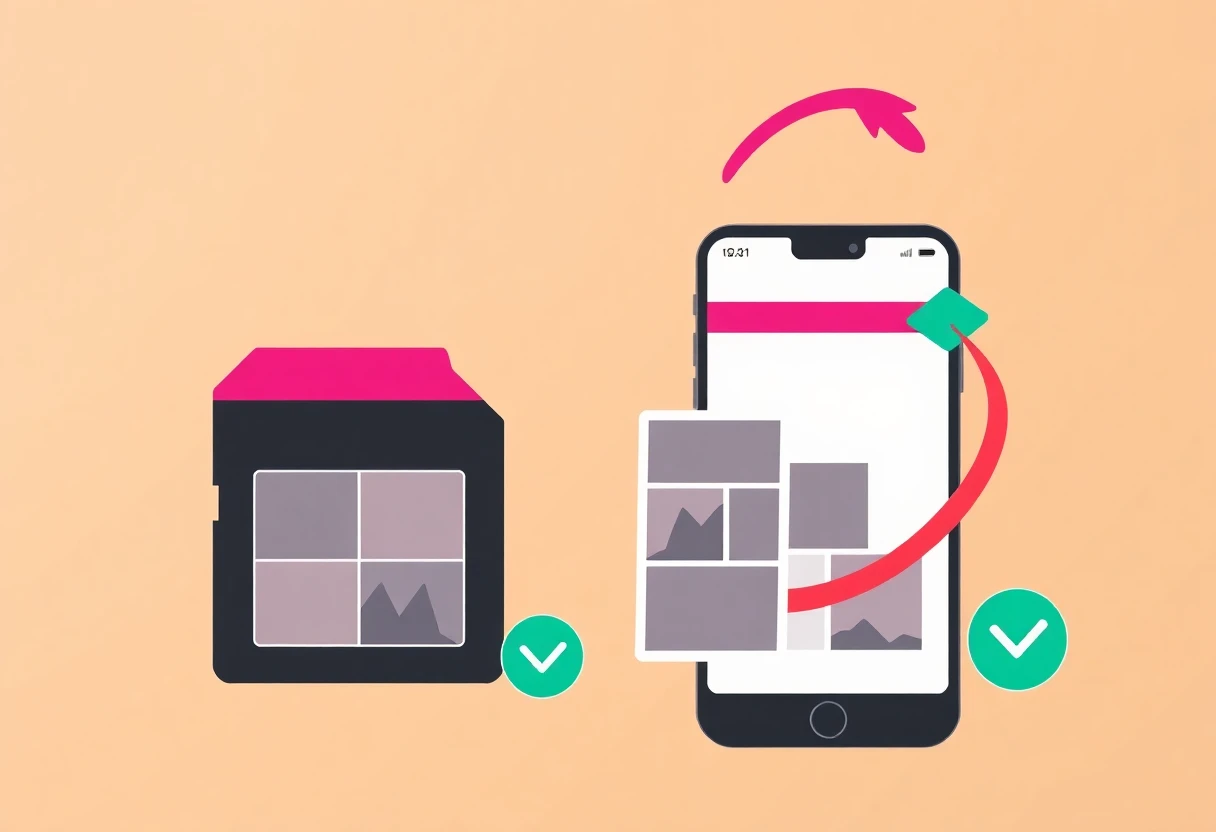
DiskDigger is the most convincing all-rounder in this list because it covers internal memory and external memory cards, supports photos, videos, documents, and other non-media files, and can send recovered files to Google Drive or Dropbox. That export step matters: restoring a file back onto the same storage can risk further clutter or overwriting. The app also acknowledges reformatted memory cards, though success will depend heavily on how much the card has been reused. I would pick it over the generic “all recovery” names when you need recovery plus a clear destination for the rescued files.

DiskDigger’s cloud-export feature is the detail most recovery listings leave out. A recovery result is only useful if you can store it somewhere safe, and direct Google Drive or Dropbox support makes that handoff less awkward. It still cannot reverse overwritten data, and the listing does not promise that every file will be recovered.
For a small set of recently deleted pictures, the simpler apps may be enough. For an SD card or a large batch, these two provide the better decision points: storage location, previewing, and where restored files go.
Recognised Recovery Tools and Wider Data
Brand familiarity does not guarantee success, but a longer feature history can make an app easier to evaluate. The remaining tools add either named format support or unusual recovery targets, which helps define their use cases.
MobiSaver
MobiSaver: Data&Photo Recovery is the most explicit about supported formats, listing JPG/JPEG, PNG, GIF, BMP, TIF/TIFF for photos and MP4, 3GP, AVI, MOV for video. It also names contacts, SMS, internal memory, and microSD recovery, giving it a wider remit than a basic gallery scanner. The app’s recent updates mention SD-card photo and video recovery plus scan-performance improvements, but the supplied data does not include price, permissions, or success rates. This is the pick for someone who knows the missing file type or needs more than photos, not for a reader who wants a guaranteed result.

Photo Recovery
Photo Recovery: Deleted&Phone focuses on the emotional use case—lost memories, deleted photos, and videos—but gives fewer technical details than MobiSaver. There is no listed format range, SD-card statement, price, or scan method in the supplied description. That makes it harder to compare honestly, even though the basic recently-deleted recovery promise is clear. I would only try it for a straightforward gallery deletion after checking its current Play Store permissions and reviews.

Recovery Lost Photos & Videos
Recovery Lost Photos & Videos takes a different route by adding saved notification access for deleted text messages from apps such as WhatsApp. That is not photo recovery in the strict sense, but it could help recover a message preview that was previously visible in a notification. The app says scanning works in read-only mode, which is a useful safety detail. The privacy trade-off is serious: notification access can expose message content, so this belongs with readers who specifically need that feature and are comfortable reviewing the permission.

One item deserves a clear exclusion: Gallery - Album, Photo Vault is a gallery organiser and private vault, not a deleted-photo recovery tool. It can manage, hide, and edit existing media, but its listing does not describe scanning erased storage. I would not include it in a recovery shortlist simply because the title contains “photo.”
The same discipline applies to every recovery app: check the exact storage target, review permissions, and avoid writing new data to the affected device before scanning. Also check the phone’s built-in Recently Deleted folder and cloud-photo trash first; those routes are usually safer than granting a third-party app broad access.
What I’d Install First
Start with DiskDigger’s Google Play listing when an SD card, reformatted card, documents, or cloud export is involved. Choose All Recovery: Photos & Videos when previewing and batch restoration matter most. MobiSaver earns the specialist slot for named photo and video formats plus contact and SMS recovery.
For a single recent deletion, Photo Recovery: Video & File or All Recovery - Photos, Videos is a reasonable first scan, but neither listing supplies enough evidence to promise success. Recovery apps are rescue tools, not time machines. The sooner you stop using the storage, the better your odds.